ShapeDiver is not the best solution for every 3D configurator.
However, it is the best solution for high-complexity, highly configurable 3D configurators that need to automate real engineering work. Let us explain.
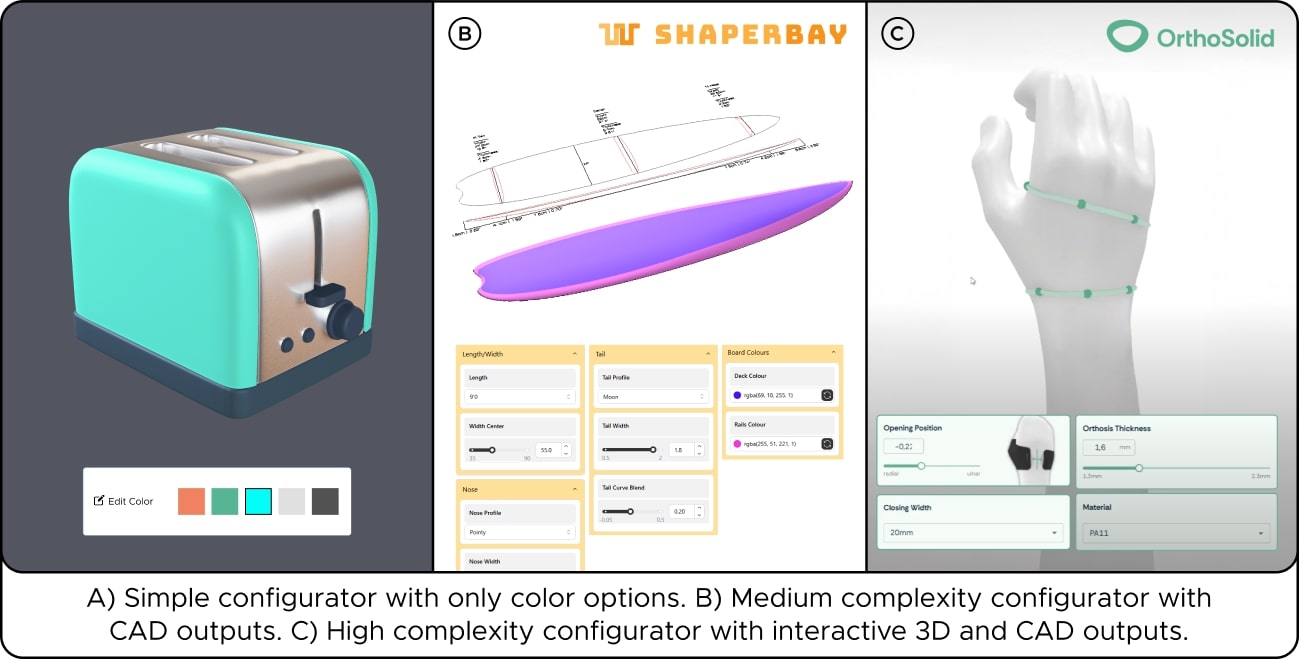
Most businesses don’t need advanced CAD logic or to output manufacturing files from their 3D configurators. What do we mean? If your product can be sold with a few images or a basic 3D viewer that spins a chair or swaps a color, then dozens of cheaper tools can do the job.
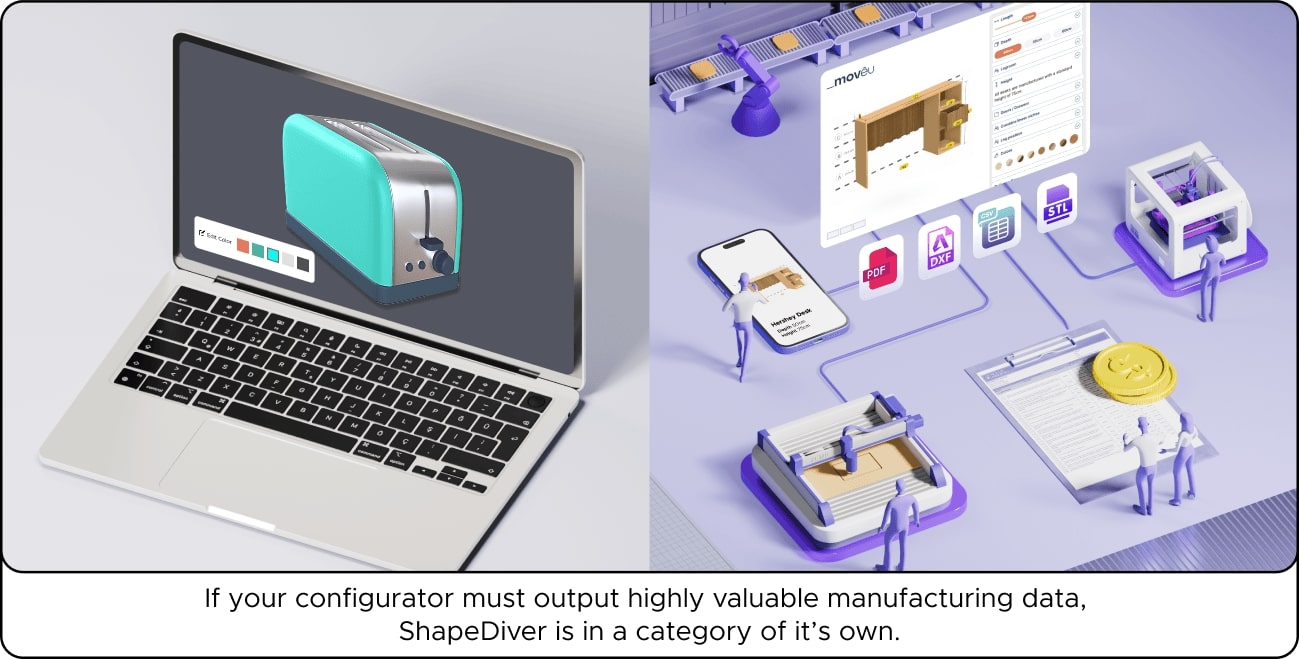
But when your 3D configurator has many variables, requires millimeter precision, and must produce DXFs, STLs, G-code, PDFs, or bill of materials, essential for your production pipeline, the ShapeDiver + Grasshopper combo is in a category of its own.
What Makes a Configurator “High-Complexity”?
Low-complexity or "visual" configurators are image-based or rely on basic, static 3D models. They’re great for switching colors, textures, or swapping components online, but end at visualization. When the user completes configuring a product, the business behind that product receives simple data, such as color choices, accessories, modules, etc.
High-complexity configurators are fundamentally different:
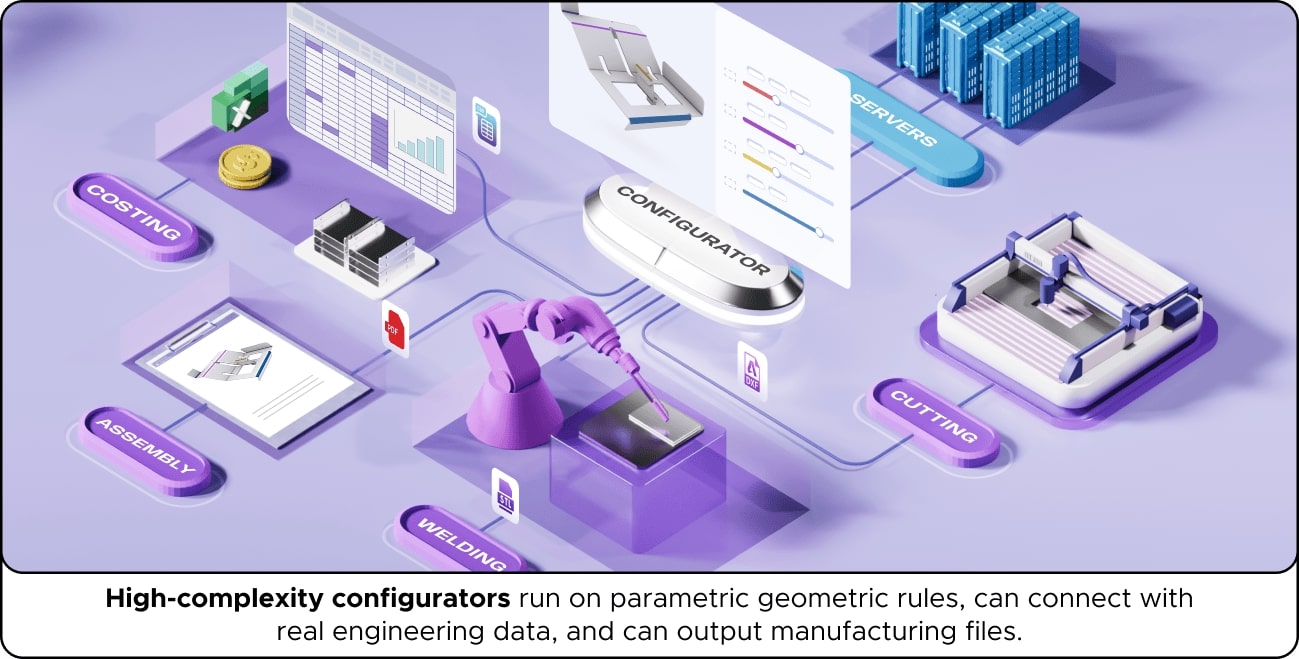
- They run on parametric geometry rules, not static meshes.
- They can connect design logic with real engineering data.
- They can output manufacturing files that drive fabrication, CNC, 3D printing, assembly, or supply chains.
This difference is why ShapeDiver stands out: we run a full CAD system in the cloud, accessible from any browser.
👉 Example : We recently integrated the SheepMetal plugin into ShapeDiver, which opened the door for sheet metal fabrication workflows online. Users can now flatten, unfold, and generate production-ready files directly from a configurator, which is impossible with visual-only tools.
Why ShapeDiver + Grasshopper Shines
Grasshopper is already the go-to tool for parametric modeling. If you don't know what Grasshopper is, we recommend watching this video. Connecting it to ShapeDiver brings that parametric power to the web, making it instantly accessible to your team and/or customers. Here are some benefits of this combo:
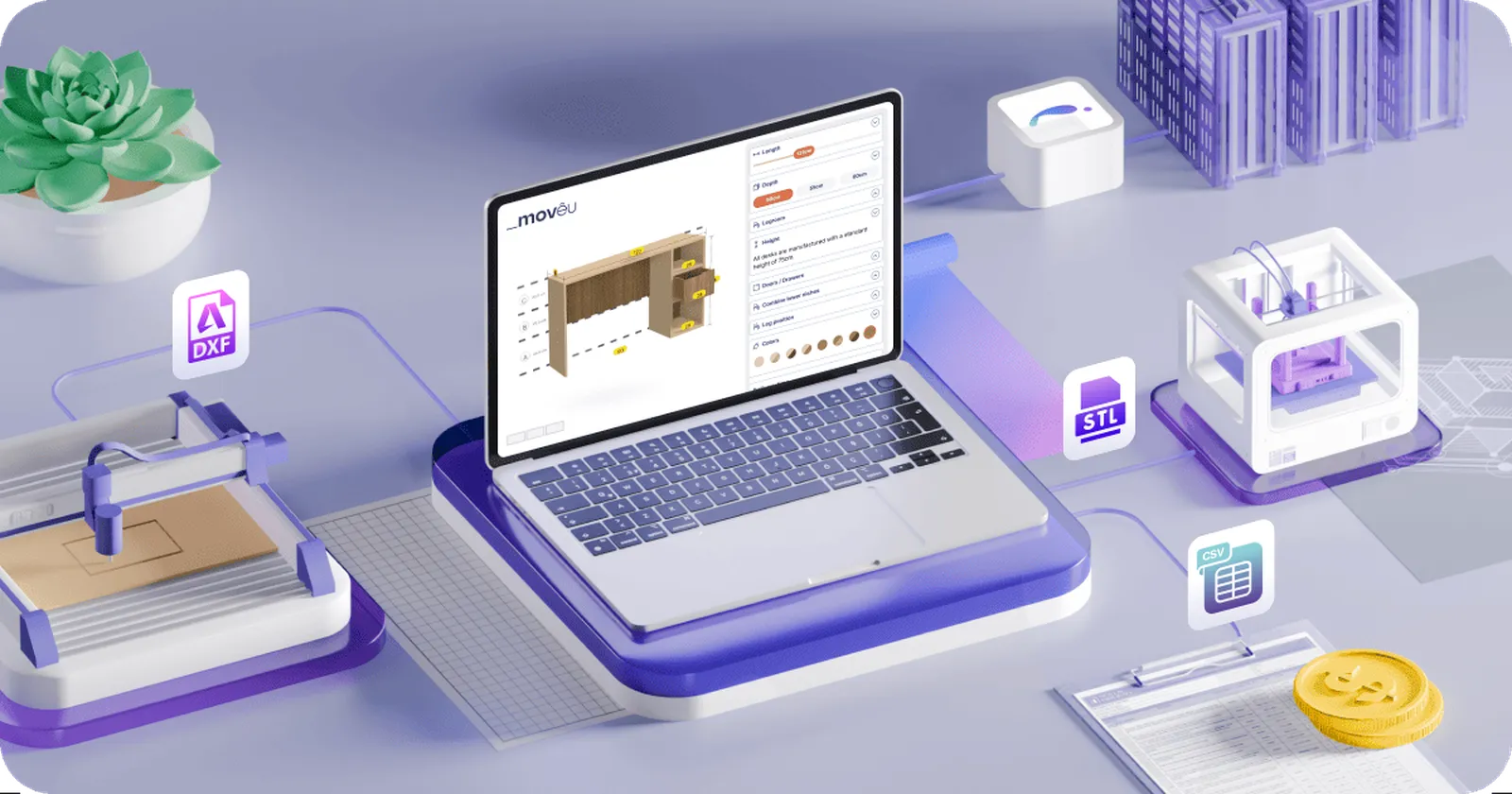
- Automate outputs: STL for 3D printing, DXF for CNC cutting, PDFs for drawings, CSV for bills of materials.
- Scalable performance: Run complex processes in the cloud, no desktop bottlenecks.
- Cost-effective: Competes with custom-coded configurators that cost hundreds of thousands of dollars.
But don't just take our word for it. There are plenty of case studies you can explore on our blog. However, in this article, we'll focus on some of the most interesting ones, such as:
-
Vivobarefoot
’s
VivoBiome
project uses scans to create custom footwear, producing 3D-printable midsoles directly from customer data. Read the full case study here.
- Orthobroker , with its new OrthoSolid line, is replacing plaster casts and labor-intensive hand-layups with a simple scan-or-measurement workflow powered by Grasshopper and ShapeDiver. This workflow weaves together custom medical device know-how, parametric design, and industrial 3D printing. Read the full case study here.
Industries Where ShapeDiver Excels
Some industries can get away with just visuals. Others can’t. When projects involve specific engineering rules like structural logic, ergonomic fits, or fabrication constraints, a 3D product configurator must generate production-ready data , not just previews. That’s where ShapeDiver and Grasshopper excel.
In the Architecture, Engineering, and Construction (AEC) industries, configurators must balance design freedom with buildability. Type Five uses ShapeDiver to streamline modular housing, CyBe integrates it into 3D concrete printing, and Wood-Skin brings complex panel systems from parametric logic to fabrication files.
For medical devices, outputs are critical because every patient is unique. OrthoSolid shows how orthoses and prostheses can move from scans to ready-to-print files, replacing weeks of manual CAD work.
In jewelry, artistry meets precision. Simple rings may not need CAD outputs, but complex pieces do. Nove25 cut production time by 95% while giving customers freedom to configure gemstone bridal rings.
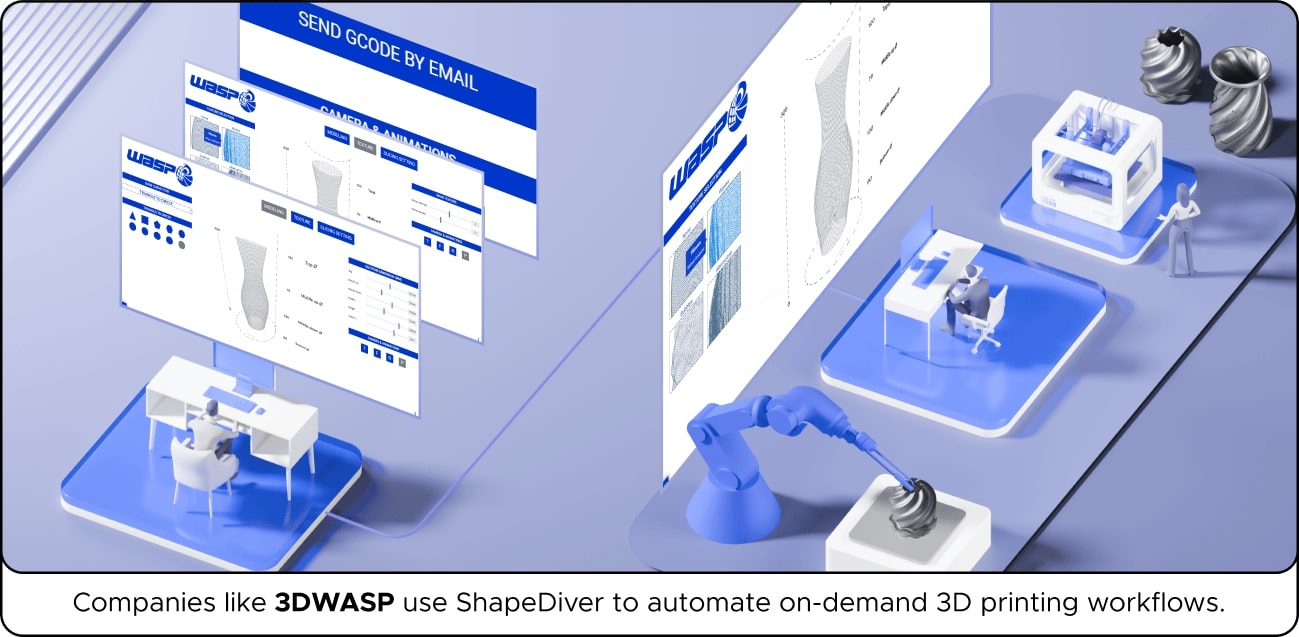
Finally, in manufacturing and supply chains, companies like Dampere use ShapeDiver to fully automate production workflows, from on-demand 3D printing to custom perforated metal parts.
Across these fields, the value is the same: turning customer inputs into automated engineering outputs.
ROI Through Automation
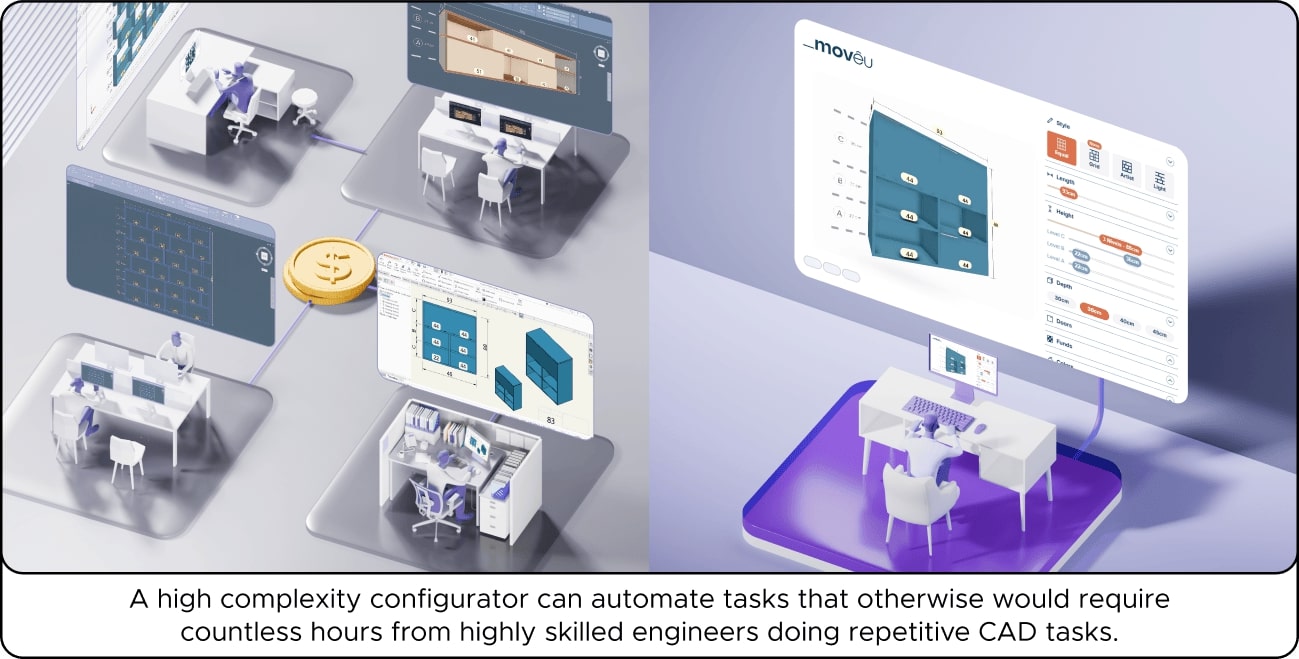
For many businesses, the true cost of manual engineering work isn’t always obvious. Highly skilled engineers often spend countless hours on repetitive CAD tasks, which add little creative value but are essential for production. After all, this is just how it's always been, right? Over time, this translates into millions of dollars spent on labor that could be automated . For example, every year, companies dedicate engineering resources to:
- Generating technical drawings
- Creating bills of materials
- Preparing CNC or 3D printing files
But what if one configurator could automate those tasks forever and at scale ? With ShapeDiver, that’s exactly what happens. Instead of re-drawing parts or re-calculating outputs, the logic is defined once in Grasshopper and runs automatically in the cloud, 24/7, at scale. Here's a great example in the furniture industry:
- Moveis Movêu , a Brazilian furniture brand, started with made-to-measure furniture customization. For them, ShapeDiver bridges the gap between accessible customization and the automation needed for scalable production. Read the full case study here.
As you can see, the ROI is clear: automation saves money and unlocks capacity. By shifting repetitive work to a configurator, businesses free their engineers to focus on innovation, product development, and solving new challenges instead of redrawing the same parts over and over.
When ShapeDiver Might Be Overkill
We’ll be blunt: We know ShapeDiver isn’t for everyone. And, that’s ok.
If you’re a startup selling simple products and do not need manufacturing outputs, ShapeDiver probably isn’t for you. There are plenty of simpler and cheaper configurator services that are easier to set up.
If your product is simple but you do need CAD data as output , then ShapeDiver can make sense. In this case, the key is keeping costs down either by learning Grasshopper yourself or working with a low-cost freelancer to build the file. Paired with our Starter plan and App Builder, you can create a custom application that can output manufacturing files that many visual-only platforms simply can’t deliver.
Finally, if you’re a larger company that sells highly complex and configurable products and are already paying engineers to generate CAD files, drawings, or BOMs manually, Grasshopper and ShapeDiver are a clear win. Here, the ROI quickly reverses: instead of paying for repetitive engineering hours, you make a one-time investment in a configurator that automates those tasks for years to come. If you’re unfamiliar with Grasshopper, our world-class team can help you with this development.
Conclusion: The Best Choice for High-Complexity Configurators
ShapeDiver is not meant to be the universal answer for all 3D configurators, and that’s by design. Every ShapeDiver configurator requires a Grasshopper definition at its core, and while this unlocks enormous power, it also means there’s a learning curve. For simple products that only need color changes or a handful of options, creating a Grasshopper file might not be worth the effort for a startup with limited resources.
However, ShapeDiver shines in highly complex 3D configurators that demand engineering outputs like CAD files, BOMs, or CNC data. At that level of complexity, investing the time to build the right Grasshopper definition makes sense because delivering those outputs simply isn’t possible without it.
👉 Enterprises: Contact our professional services team to build your production-ready configurator.
👉 Startups: Learn Grasshopper or hire a low-cost freelancer and try our Starter plan.
What's next?
Want to learn how using ShapeDiver and Grasshopper compares to coding an entire configurator from scratch? Then, we recommend reading the following article.
FAQs
Q1: Can a 3D configurator export manufacturing files like DXF, STL, or G-code?
Yes. A ShapeDiver configurator operates a parametric CAD engine in the cloud, enabling the output of technical files for CNC, 3D printing, or documentation.
Q2: Do I need to know Grasshopper to use ShapeDiver?
Not necessarily. If you do, costs are lower since you can build definitions yourself. If not, our project team or any other Grasshopper experts can create the right files for you.
Q3: Which industries benefit most from a high-complexity 3D configurator?
Any industry that requires engineering outputs can benefit from a high-complexity configurator.
Q4: How does ShapeDiver compare to building a custom configurator from scratch?
Hand-coded configurators can cost hundreds of thousands of dollars, especially once you budget for infrastructure, scaling, and maintenance.



/f/92524/1200x630/86509b3acb/cover.webp)